
How to Adjust Your Child’s Dashboard View
Edited
You can easily adjust their dashboard settings from your Parent account.
How to Update Your Child’s Dashboard?:
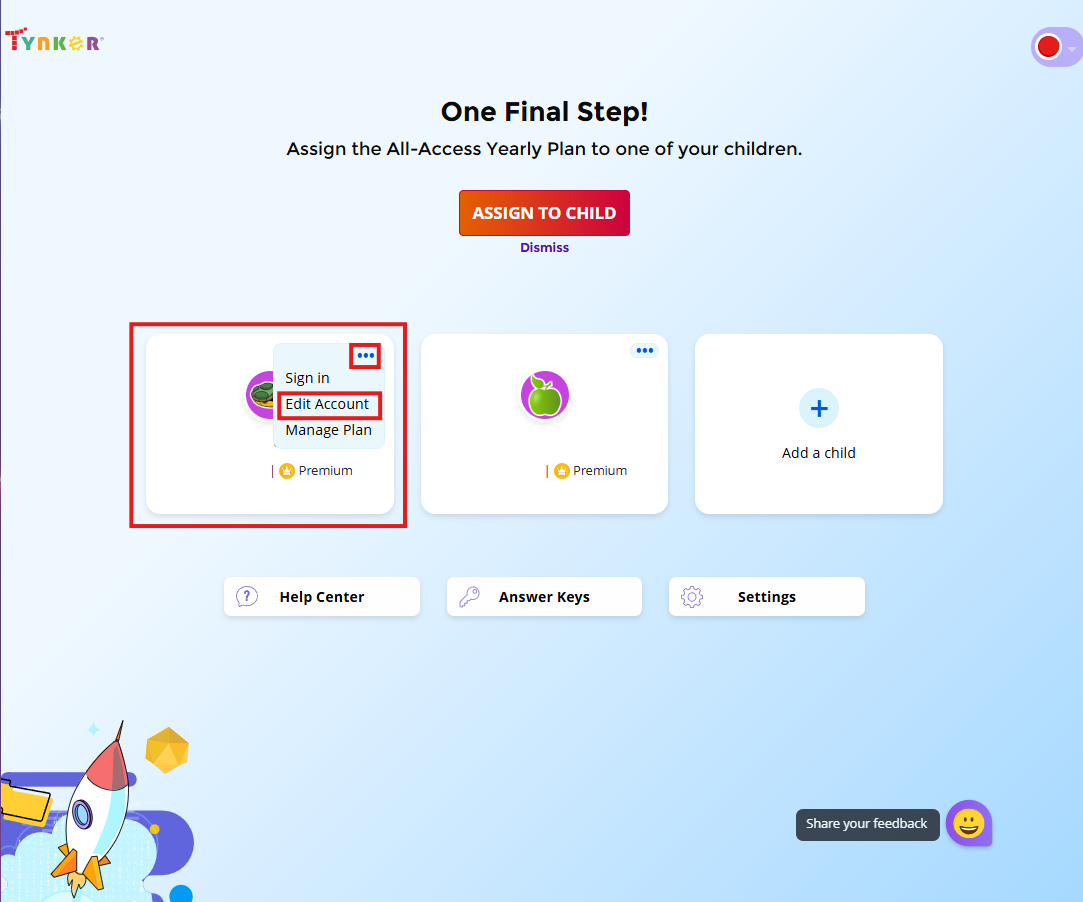
Log in to your Parent Dashboard.
Select the child’s account you’d like to adjust.
Click on the three dots (⋮) next to their name.
Choose Edit Account.
Under Dashboard Setup, you can:
Adjust the Age Band to display activities for an older age group.
Switch from Block Coding to Text Coding.
Save your changes.
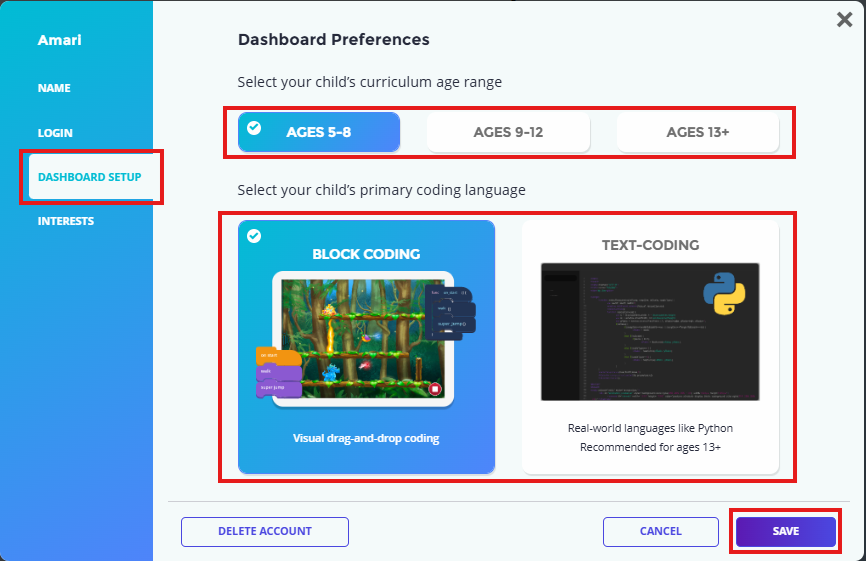
Once updated, your child will see activities at the new age band or coding style on their dashboard.
⚠️ Note: These changes only affect what is displayed on the dashboard (e.g., the Games & Apps and Minecraft tabs). They do not skip or mark lessons as completed.